Seedance 2.5 Anime Video Generator

Turn an original character reference or anime prompt into a moving scene. Use the Seedance 2.5 anime workflow to direct action, camera movement, atmosphere, and sound from one creative brief.

Prompt or visual-reference workflowsOriginal character and action directionEditable anime prompt included

Upload up to 30 images. Refer to them as @Image1, @Image2, and so on in your prompt.

Reference 1
362 / 4000

Generate synchronized audio with the video

Preview video - Generate your own video above

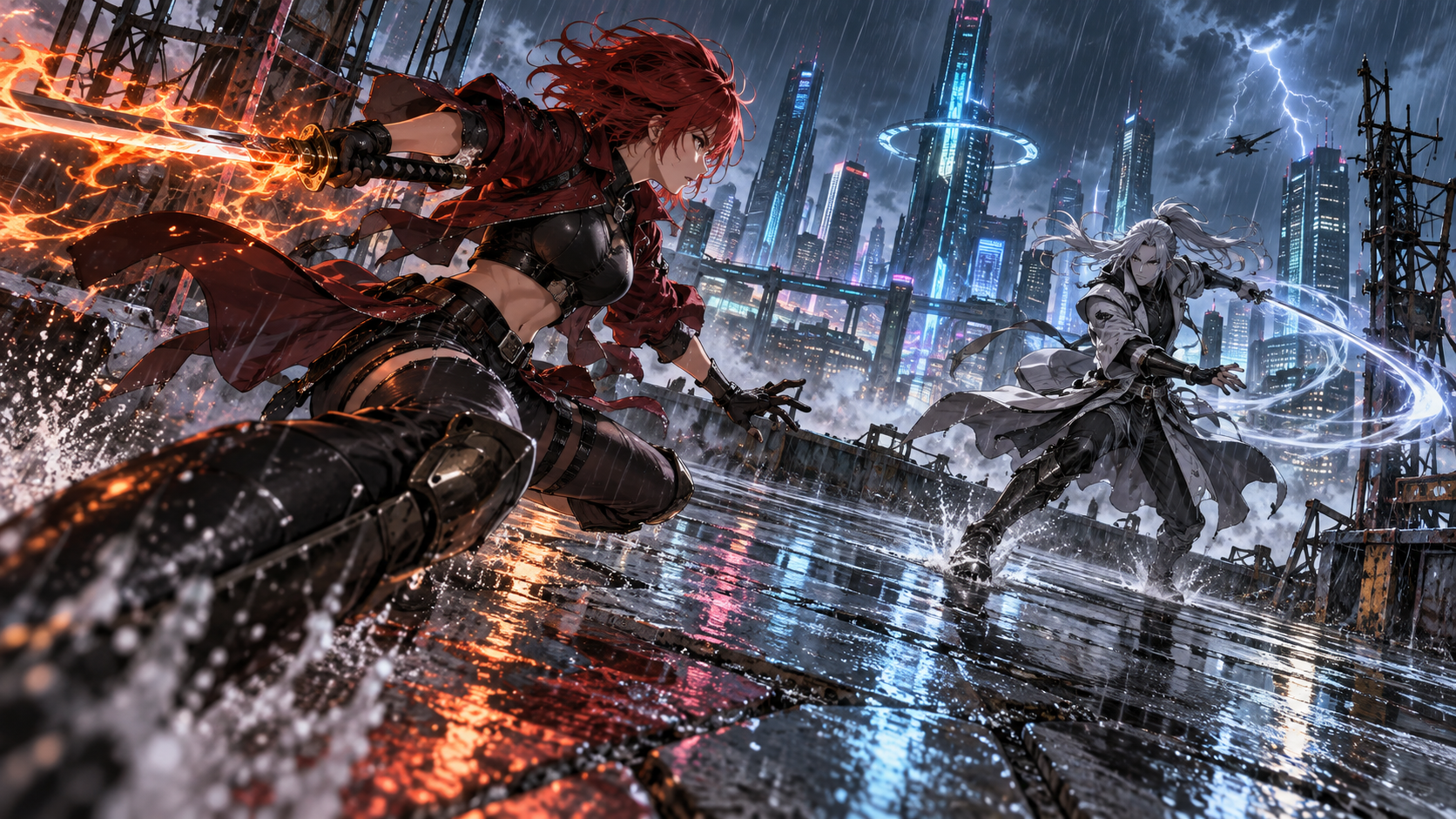
Seedance 2.5 Anime Example: Rooftop Duel

An original first-frame illustration becomes a rain-soaked action sequence with two distinct adult fighters, changing camera movement, environmental motion, and synchronized sound.

Two original anime fighters preparing to duel on a rainy neon rooftop

What Is the Seedance 2.5 Anime Generator?

This page pairs the existing Seedance 2.5 video task with an anime-focused starting point. You can begin from text, an opening frame, or visual references, then describe the motion and shot progression you want. It targets original anime and broader animation workflows without promising an exact copy of a named studio, artist, or franchise style.

  • Start With a Readable Character Frame
    Use a clear reference when costume, silhouette, color, or scene layout matters to the shot.
  • Describe Motion, Not Just Appearance
    Direct body movement, environmental reactions, camera travel, and the final pose as connected beats.
  • Plan the Sound of the Scene
    When audio is enabled, include ambience, impacts, voices, or music cues that belong to the action.

Seedance 2.5 Anime Prompt Building Blocks

A useful anime video prompt gives the model concrete visual anchors and a simple progression through the shot.

Character Continuity

Name the defining hair, clothing, proportions, props, and expressions that should remain recognizable while the character moves.

Shot and Camera Direction

Specify framing, camera height, tracking direction, transitions, and the final composition instead of relying on a broad cinematic label.

Action and Secondary Motion

Connect the main action to hair, fabric, weather, particles, reflections, or impact effects so the scene feels active.

Original Visual Language

Describe linework, shading, palette, lighting, and mood in your own terms rather than requesting a protected franchise or living artist.

Foreground-to-Background Depth

Place elements at multiple distances and explain how they move relative to the camera to create readable parallax.

Focused Iteration

Change one variable at a time—such as pacing, camera path, or ending pose—so each new result is easier to evaluate.

How to Use Seedance 2.5 Anime Generation

Move from a clear visual premise to a reviewable anime clip in four focused steps.

01

Choose a Starting Mode

Use visual references for recurring designs, a first frame for a fixed opening composition, or text when you want wider visual exploration.

02

Write the Anime Prompt

Define the original subject, setting, visual treatment, action beats, camera movement, and any sound cues in concrete language.

03

Set the Output

Review the available duration, aspect ratio, resolution, and audio controls in the generator before submitting.

04

Review and Refine

Check identity, anatomy, motion, timing, and the final frame, then revise the reference or the most important prompt instruction.

Seedance 2.5 Anime and Animation Use Cases

Use the workflow for original animated concepts where motion, staging, and character readability matter.

Anime Storyboards

Explore a scene's blocking, camera path, rhythm, and ending composition before developing a longer sequence.

Character Moments

Create short entrances, reactions, transformations, or dialogue beats around an original character reference.

Action Sequences

Plan readable attacks, evasions, impact moments, and recovery poses while keeping the scene non-graphic.

Animated Music Visuals

Coordinate character performance, lighting changes, camera motion, and abstract effects around a musical idea.

Stylized Campaign Concepts

Test original animated product reveals, title-free social clips, and visual campaign directions.

Broader Animation Tests

Go beyond anime with cel-shaded, graphic, painterly, or mixed-media directions described through original visual traits.

Seedance 2.5 Anime Generator Questions

Practical guidance on prompts, references, style boundaries, and reviewing generated animation.

1

What should a Seedance 2.5 anime prompt include?

Include the original character and setting, a clear action sequence, camera direction, secondary motion, lighting, audio cues if needed, and the final composition. Prioritize a few concrete instructions over a long list of style adjectives.

2

Can I use an image reference for anime generation?

Yes. The generator on this page includes visual-reference and first-frame workflows. Use references you have the right to use, and choose images with clear characters, silhouettes, and scene depth.

3

What is the difference between anime and animation here?

Anime is the page's focused visual use case, while animation is the wider category. You can describe original cel-shaded, graphic, painterly, or mixed-media looks without limiting the prompt to anime conventions.

4

Can it reproduce a specific anime franchise or artist?

This page does not promise exact style replication. Describe original visual traits such as line quality, color palette, shading, lighting, and motion, and avoid asking for protected characters or a living artist's signature style.

5

How do I keep an original character recognizable?

Start from a clean reference and repeat only the essential identity anchors in the prompt: hair, costume, silhouette, key colors, props, and facial traits. Results can vary, so review each output before reuse.

6

Which result details should I review?

Check faces, hands, costume details, prop continuity, body mechanics, camera movement, timing, background stability, sound, and whether the final frame remains clear.

Create a Seedance 2.5 Anime Video

Bring an original character, scene, or animation idea to the generator and direct the movement one beat at a time.